
Quickstart
1. Sign up
Create your account — email and a password, nothing else. You'll land in an empty workspace; that's expected. The next step fills it.
2. Connect your agent ~2 min
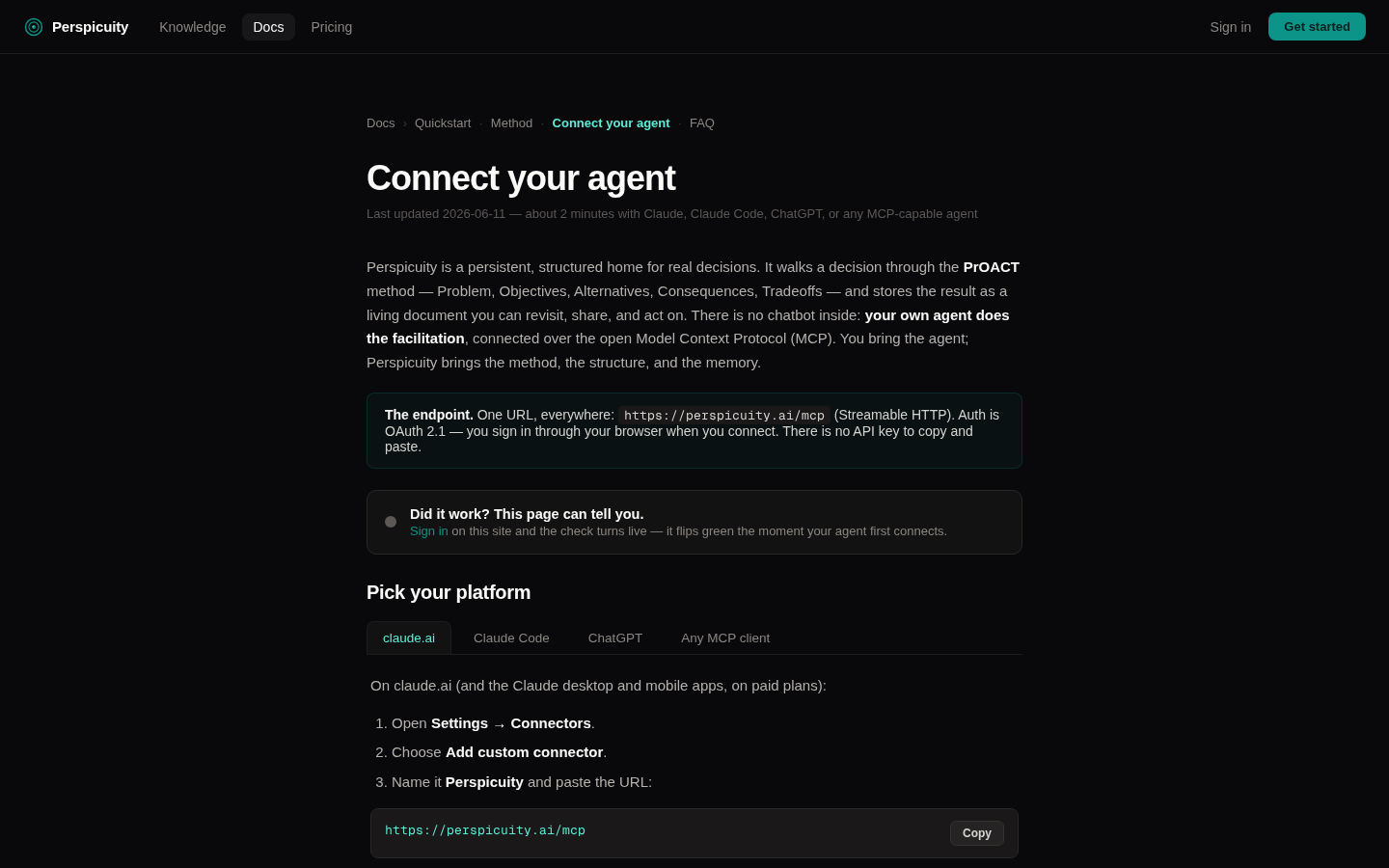
Follow the setup hub for your platform — it's one URL pasted into your agent's connector settings, then a browser sign-in. The page watches and flips to a green check the moment your agent first touches your workspace, so you'll know it worked.
3. Start your first decision
Back in your agent, say:
“Help me decide whether to <something you're actually weighing> — use Perspicuity.”
Use a real decision, even a small one — renewing a lease, hiring a contractor, picking a school. The agent creates the decision in your workspace and opens with the first step: framing the problem.
4. Work the first two steps ~5 min
Let the agent walk you. It will push you to phrase the decision as a question whose answer is the decision, then ask what actually matters. Two phrases worth knowing:
“What does this step need from me before we move on?”
“Show me the decision document so far.”
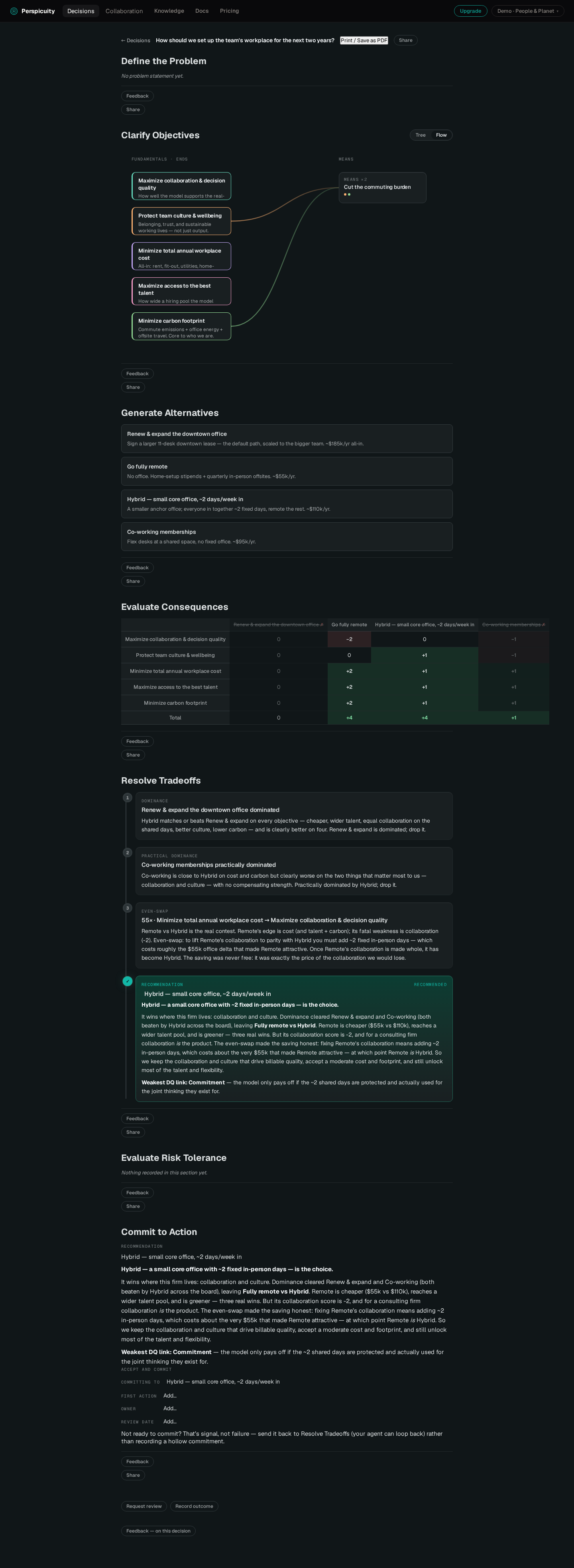
Open perspicuity.ai in a browser tab while you talk — the document builds live as the agent records what you decide.
5. See the whole method
The agent follows a real process graph — gates, loopbacks and all. The method page renders that exact graph, so you always know where you are and what "done enough" means for the step you're on.
6. Share it Pro
When you want another pair of eyes:
“Mint a share link for this decision.”
The recipient gets a clean read-only document and can leave comments and approvals — no account gymnastics on their end. Sharing, collaborators, and sealed (zero-knowledge) decisions are the Pro features; the full method itself is free.
7. Print it
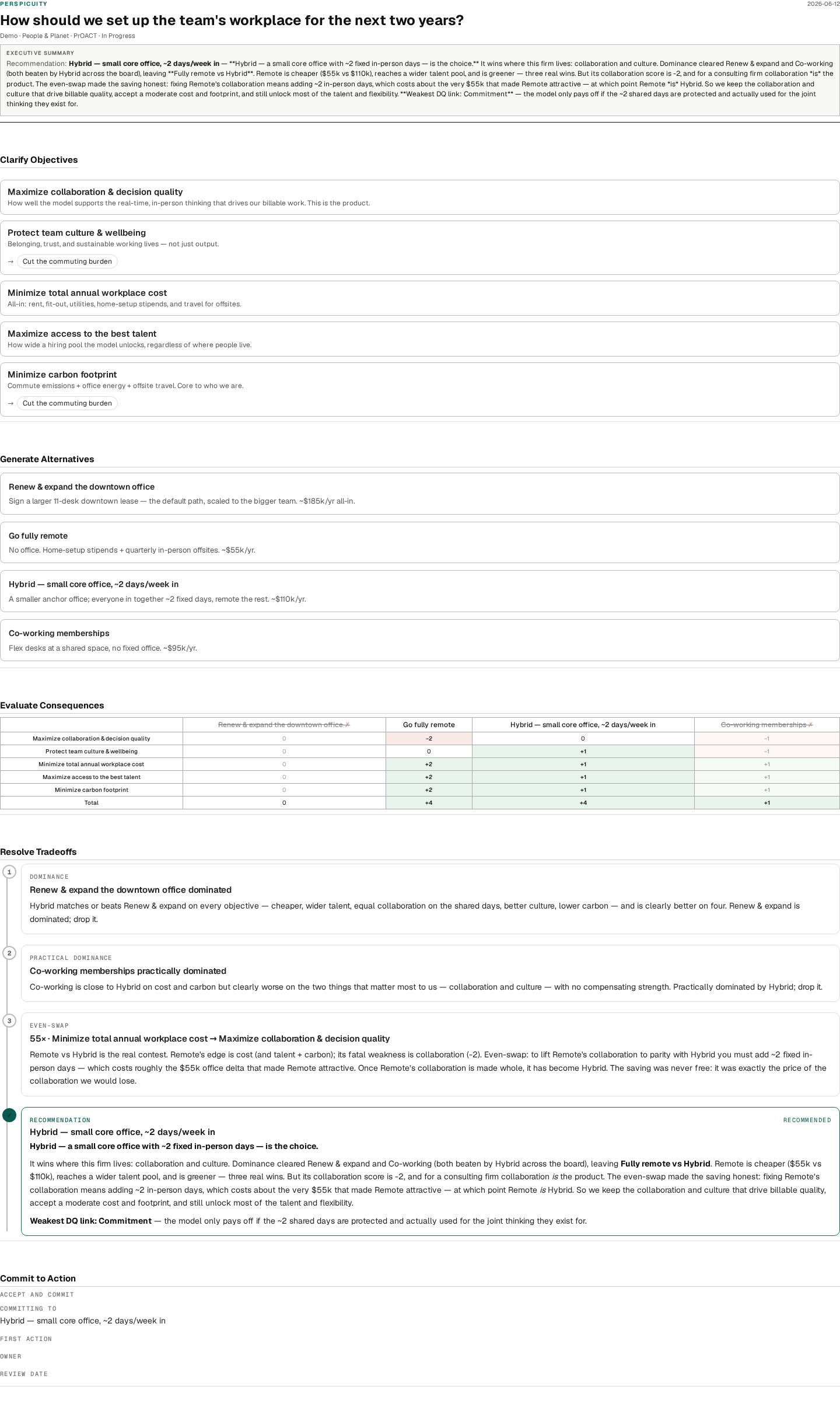
Open the decision and print — the document is print-grade on purpose: an executive summary up top, the consequence table, the commitment with an owner and a review date. Or ask the agent:
“Render the full decision document.”
Where to next
- The method — every step, gate, and loopback, rendered from the live graph.
- FAQ — free vs. Pro, sealing, sharing, billing.
- Knowledge base — the decision science underneath.